Guides
Claude for complete beginners
Get to know Claude by Anthropic: how to start, must-try features like Projects and Artifacts, example prompts, and tips for the best results.
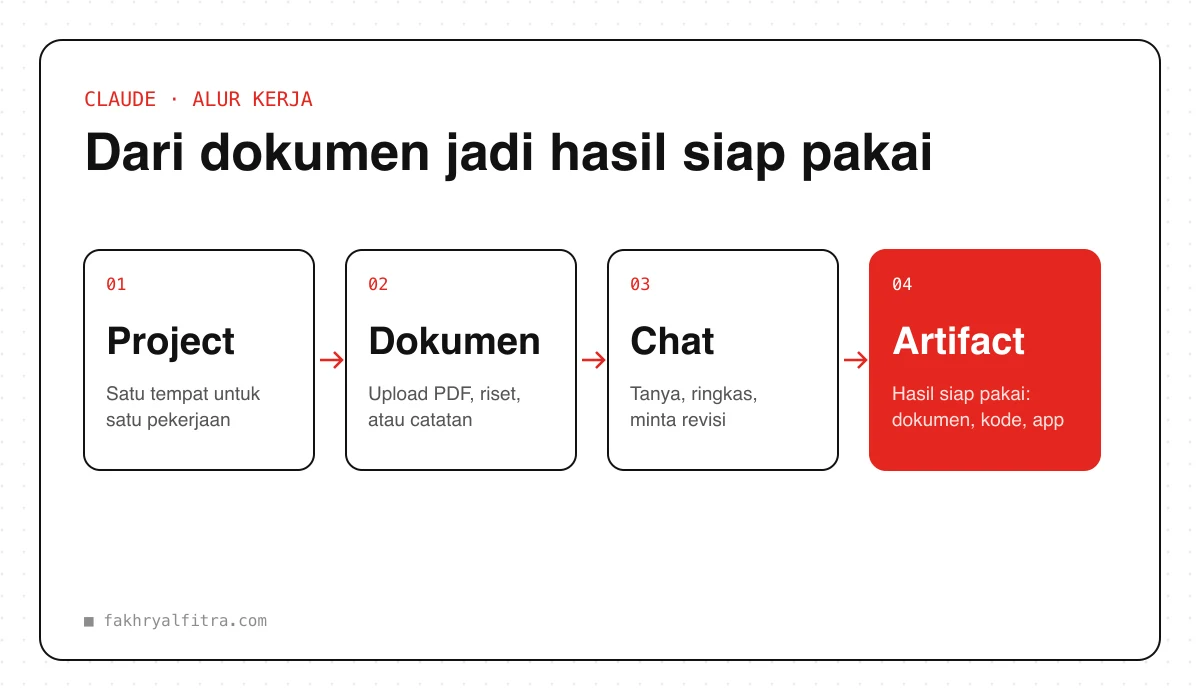
Claude is an AI assistant made by Anthropic. Its strengths are natural-sounding writing, understanding long documents, and helping with code. This guide is for anyone just getting started.
1. Get started
- Go to claude.ai, or download the Claude app for mobile or desktop.
- Sign up with your email or Google account.
- Start chatting. The free plan is enough to try it out; the Pro plan gives higher usage limits and fuller access to features.
2. Must-try features
- Projects — keep documents and instructions in one place. Every chat inside the project uses that context automatically.
- Document upload — attach PDFs, reports or long research, then ask for a summary, key points, or Q&A.
- Artifacts — Claude can create documents, code, diagrams and even small apps in a separate panel you can use or edit right away.
3. Example prompt
Prompt
I've attached [DOCUMENT NAME].

Write a summary of at most 10 points for [AUDIENCE], in plain language.
Then list 3 important questions I should ask before making a decision.
4. Tips for better results
- Show an example of the output you want — Claude is great at matching a style from examples.
- Ask Claude to ask first: “Before you start, ask me anything you need to know.”
- Break big tasks into steps and check each result before moving on.
- If a result isn't quite right, ask for a specific revision (“shorter”, “more casual”) instead of starting over.
Always double-check facts, numbers and quotes — AI can be confidently wrong. Don't enter sensitive data such as passwords or ID numbers.