Guides
ChatGPT for complete beginners
From creating an account to writing your first good prompt — the Role · Task · Context · Format formula that works for anything.
ChatGPT is an AI assistant from OpenAI. You can chat with it to write, summarise, brainstorm, learn new things and even analyse files. This guide is for anyone just getting started.
1. Get started
- Go to chatgpt.com, or download the ChatGPT app for mobile or desktop.
- Sign up with your email, or a Google / Apple account.
- Type a question in the chat box and press Enter. The free plan is enough to start.
2. The formula for a good prompt
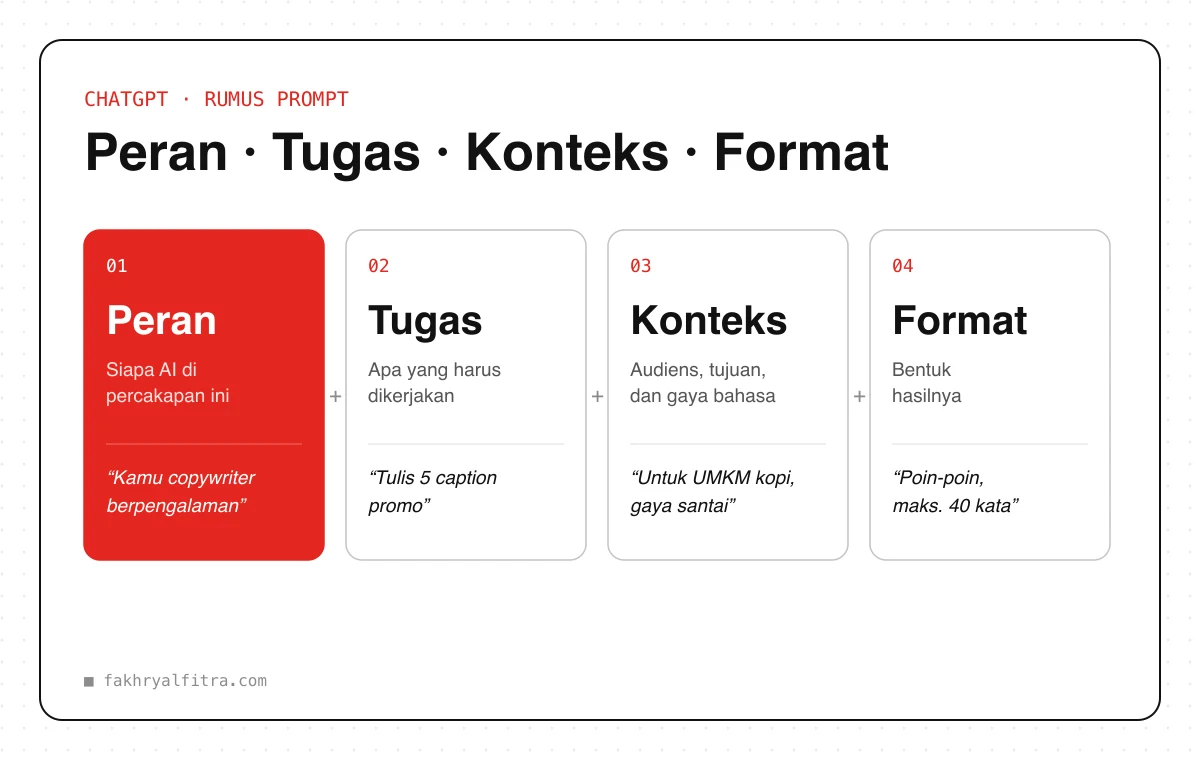
Good answers come from clear instructions. Use these four parts:
- Role — who ChatGPT is in this conversation, e.g. “you are an experienced copywriter”.
- Task — what it should do, as specific as possible.
- Context — supporting info: audience, goal, tone and constraints.
- Format — the shape of the output: bullet points, a table, or a maximum length.
Prompt
You are [ROLE, e.g. an experienced social media copywriter].

Task: [WHAT TO DO].
Context: the audience is [WHO], the goal is [WHAT FOR], the tone is [CASUAL / FORMAL].
Format: [e.g. 5 points, max 100 words each].

If any information is missing, ask me before answering.
3. Habits that improve results
- Keep the conversation going — ask for revisions (“shorter”, “more casual”) instead of starting over.
- Upload files like PDFs, images or spreadsheets, then ask for a summary or analysis.
- Fill in personalisation (custom instructions) so ChatGPT knows who you are and the style you like.
- Group your work in Projects so files and instructions stay organised.
Always double-check facts, numbers and sources — AI can be confidently wrong. Don't enter sensitive data such as passwords or ID numbers.